
How Do Gift Cards Work?
-
Give the gift of golf! Redeeming your Birdie Golf digital gift card is easy. Follow the steps below to add your gift card balance to your TrackMan account and use it toward your next booking.
Step 1: Purchase a Gift Card
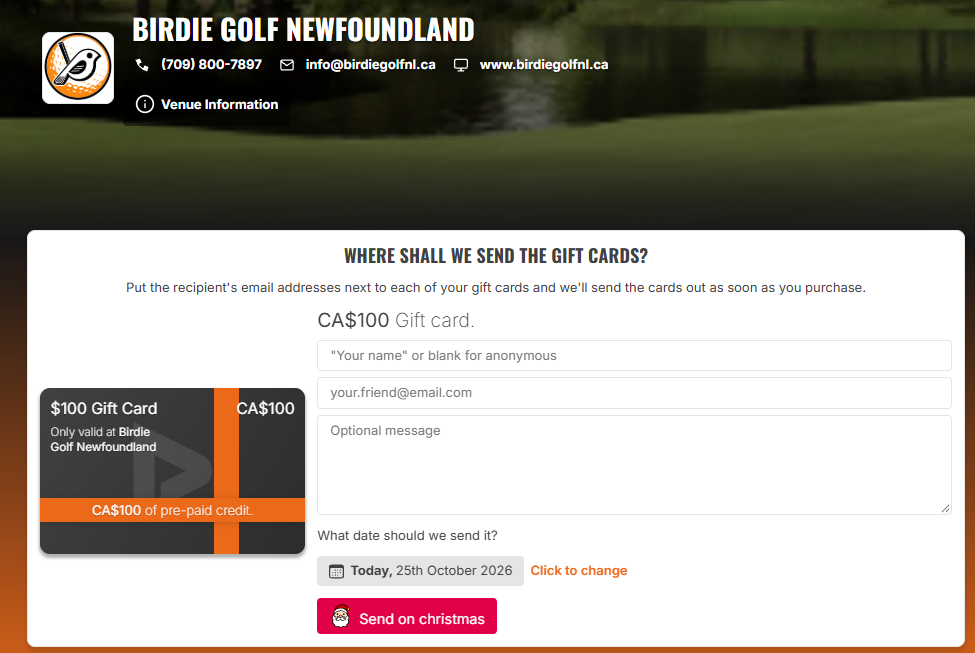
Purchase a digital gift card from our website and enter the recipient’s email address. You can also include a personal message and choose when the gift card should be sent.
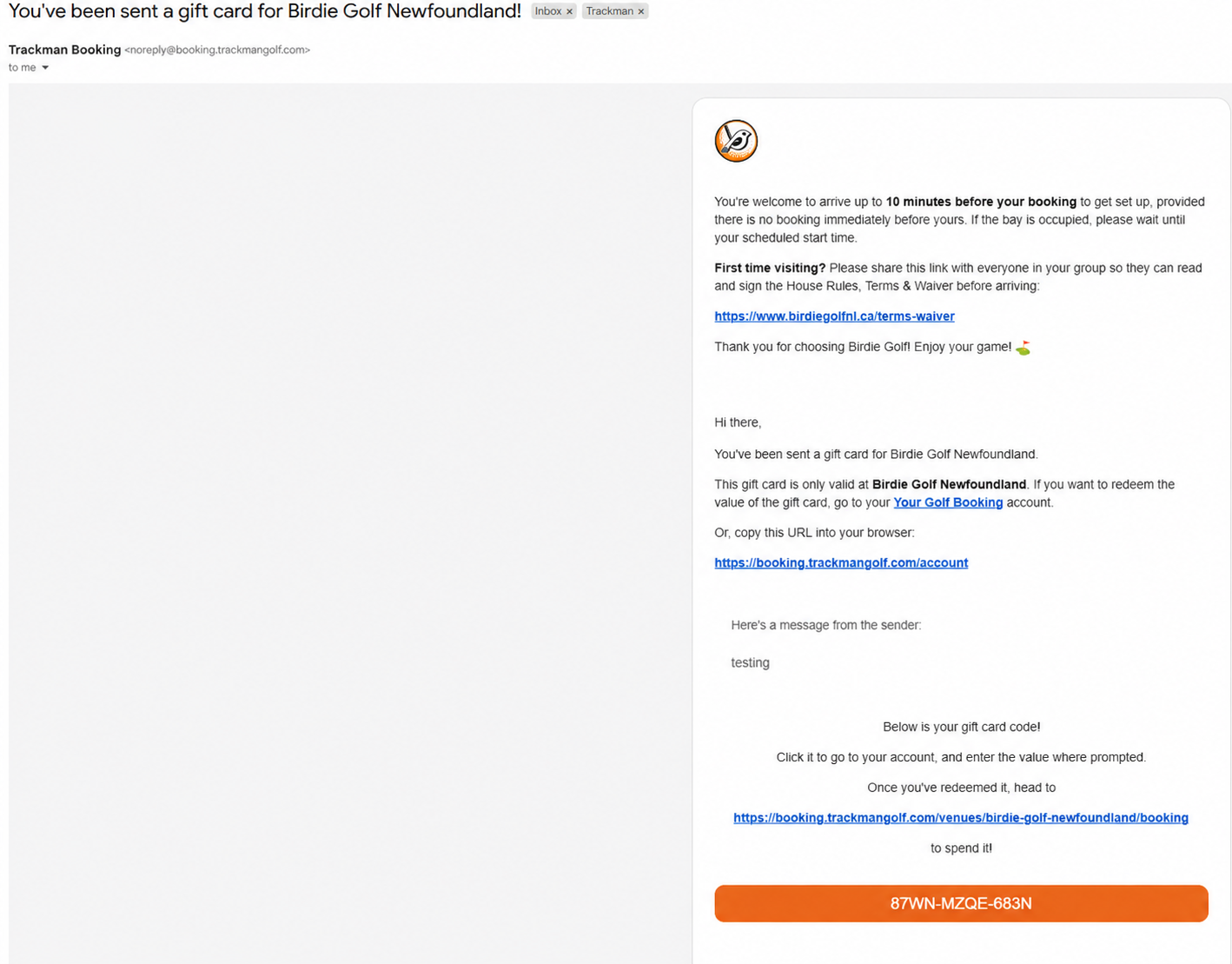
The recipient will receive an email from noreply@booking.trackmangolf.com containing their gift card redemption code.
Step 2: Open Gift Card Email
Check inbox for the email from noreply@booking.trackmangolf.com The email contains your 12 digit gift card code and instructions for redeeming it.
If you can’t find the email, please check your spam or junk folder.
Step 3: Redeem Your Gift Card
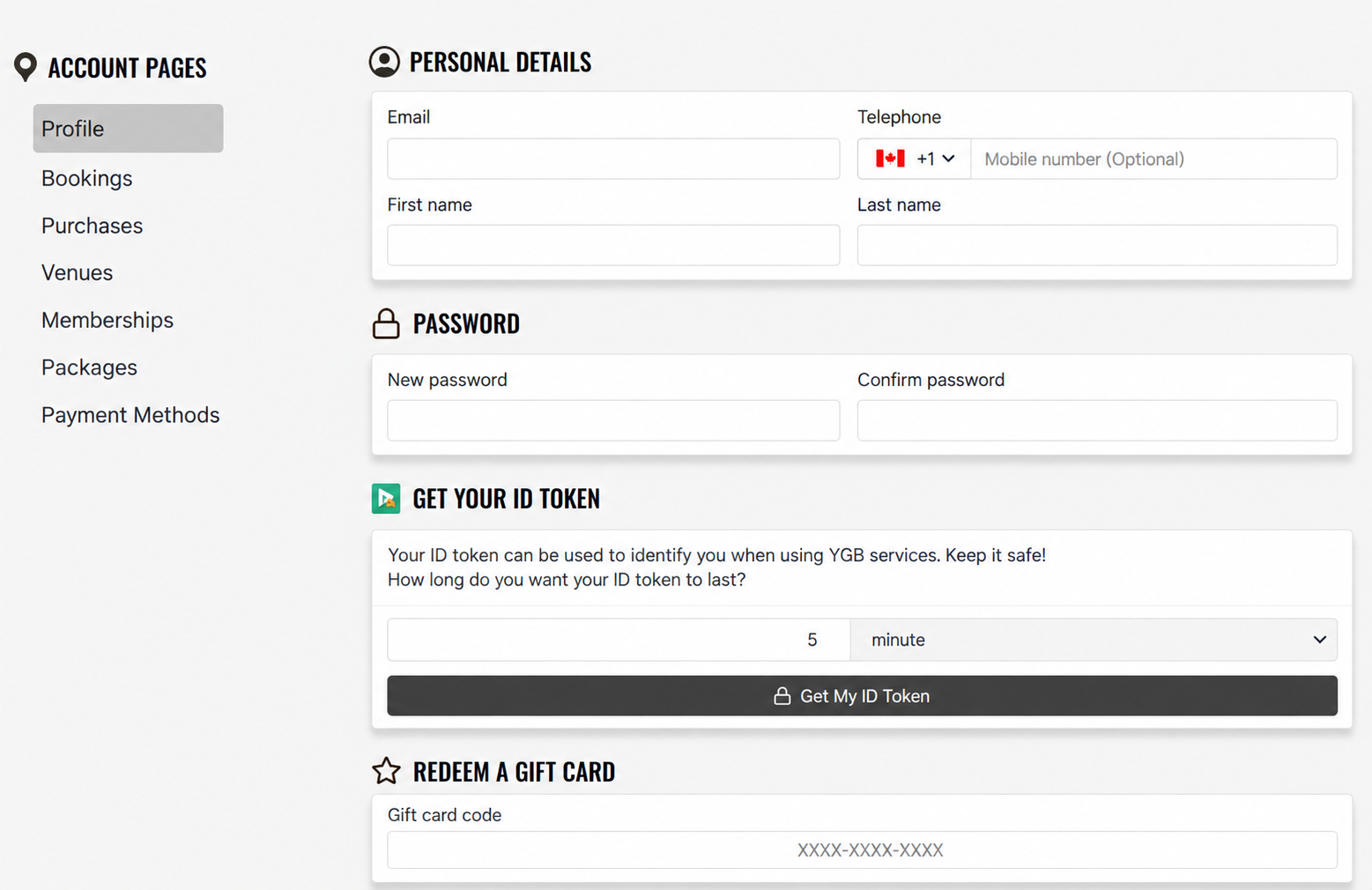
Visit Your Golf Booking and log in to your TrackMan account. If you don’t have an account yet, create one using your email address.
Open your Profile page.
Find the Redeem a Gift Card section.
Enter your gift card code and click Redeem.
Step 4: Book Your Golf Session!
Once redeemed, your gift card balance will be available in your account to use toward your Birdie Golf bookings.
Visit our booking page, choose your preferred date, time, and bay, and enjoy your golf session! Please allow a few minutes for the gift card balance to appear in your account after redemption.